Navigating Roblox's vast audio library can be a real game-changer for enhancing your experience but often feels like a puzzle, especially for busy adult gamers. This comprehensive guide simplifies finding and using id sounds roblox for your games or private server fun. We dive into the latest methods for discovering unique sound IDs, ensuring your creations stand out without the usual headaches of copyright or broken links. Learn how to search effectively, understand Roblox's updated audio policies, and integrate sounds seamlessly into your projects or just use them for personal enjoyment with friends. This article is packed with practical tips and current trends to help you optimize your gaming experience on a budget. It covers everything from basic searching to advanced implementation, making sure you get the most out of Roblox's dynamic sound features without unnecessary stress. Discover new ways to socialize and build your dream game with perfectly chosen audio elements. Stay current without the hype.
How do I find ID sounds on Roblox in 2026?
Finding ID sounds on Roblox in 2026 is primarily done through the Roblox Creator Marketplace. Navigate to the "Audio" section and utilize its robust search and filter options. You can search by keywords like "epic music," "door open," or "funny meme sound." The platform continually updates its library, so checking the "Recently Uploaded" or "Trending" filters can yield fresh content. Always prioritize sounds with positive ratings and recent activity to ensure they are current and functional within the game environment.
What are the best websites for Roblox sound IDs?
While the official Roblox Creator Marketplace remains the most reliable source for ID sounds, some community-driven websites or YouTube channels curate lists of popular or themed IDs. However, exercise caution with external sites as IDs can become outdated or link to unavailable content. Always cross-reference any ID with the official marketplace to verify its existence and usage rights before integrating it into your experiences. Trusted sources often update their lists regularly, making them valuable supplements to your search.
How can I upload my own sounds to Roblox for an ID?
To upload your own sounds to Roblox and receive an ID, you need to access Roblox Studio. From the "View" tab, open the "Asset Manager" and then select "Audio." You'll be prompted to upload an audio file (MP3 or OGG format) from your computer. Be aware of file size limits and Roblox's strict moderation policies regarding copyrighted or inappropriate content. Each upload typically costs a small amount of Robux, which varies based on the audio's length. Once approved, your uploaded sound will be assigned a unique ID for use in your games.
Why are my Roblox sound IDs not working or saying "asset unavailable"?
Several reasons can cause Roblox sound IDs to stop working. The most common is that the original audio asset has been removed by its creator, moderated by Roblox for policy violations, or simply marked as deprecated due to platform updates. Copyright issues are a significant factor, leading to widespread audio removals. Ensure your game has the necessary permissions if it's a private sound. Always verify the ID on the Creator Marketplace; if it's gone there, you'll need to find a replacement. Checking your sound's volume and playback properties in Studio can also resolve simple playback errors.
Are there free ID sounds for Roblox available, or do they cost Robux?
Yes, many ID sounds on Roblox are completely free to use within your games. The Roblox Creator Marketplace allows filtering for "Free" assets, offering a vast library of sound effects and music that require no Robux to implement. However, uploading *your own* custom sounds to the platform does incur a small Robux fee for processing and hosting. This distinction is crucial for budget-conscious creators. Always check the asset details on the Marketplace to confirm its cost and licensing terms.
How do I use ID sounds in my Roblox game development?
To use ID sounds in your Roblox game, open Roblox Studio and navigate to the "Explorer" window. Insert an "Audio" object (also known as a "Sound" object) into a part or directly into a Script. In the "Properties" window for the Audio object, locate the "SoundId" property and paste your chosen ID, formatted as `rbxassetid://[YOUR_SOUND_ID]`. You can then control playback, volume, looping, and other attributes using scripts (e.g., `game.Workspace.Part.Sound:Play()`). This method provides dynamic audio control for events, ambient effects, or background music.
What are some popular Roblox ID sounds for memes or viral content?
Popular Roblox ID sounds for memes and viral content often change rapidly with internet trends, but some classics endure. Currently, sounds related to trending TikTok audio, short comedic snippets, and specific game sound effects (like "oof" variations, though the original is gone) are frequently sought after. To find the very latest, search the Creator Marketplace using terms like "meme sound," "viral audio," or "trending song." Community groups and YouTube compilations also highlight current popular ID sounds, but always verify their functionality and appropriateness for your audience.
Gaming is that perfect escape valve, isn't it? After a long day of work, managing family life, or just trying to keep all those plates spinning, sinking into a world like Roblox offers a unique blend of creativity, relaxation, and social connection. For many of us seasoned gamers, balancing real-world responsibilities with our passion means every minute in-game counts. We want efficient fun, meaningful engagement, and hassle-free experiences. That's why diving into the rich world of id sounds roblox can be both exciting and, let's be honest, a little daunting. You've got an amazing idea for a game, a cool new hangout spot for your guild, or just want to spice up your private server with the perfect background track or quirky sound effect. But then comes the big question: How do you find those elusive ID sounds Roblox makes available? And how do you do it without spending hours sifting through broken links or outdated guides?
You're not alone. In fact, for the average US gamer, around 87% of us play regularly, often dedicating 10+ hours a week, even with busy schedules. We value efficiency and getting straight to the good stuff. The challenge isn't just finding any sound, it's finding the right sound quickly, legally, and in a way that truly enhances our gameplay or creation. This month, with social and cozy games trending, adding unique audio elements is more important than ever for creating immersive environments where friends can gather and unwind. But navigating Roblox's evolving audio policies and content restrictions can feel like another job. This guide is your trusted friend, designed specifically for adult gamers like us who want to leverage the power of id sounds roblox offers without the usual headaches. We'll cut through the noise, providing clear, actionable steps to find, use, and troubleshoot audio IDs, ensuring your Roblox adventures are always pitch-perfect.
What are ID Sounds in Roblox and Why Are They Important for Gamers?
ID Sounds in Roblox are unique numerical identifiers assigned to every audio asset uploaded to the platform. These IDs act like digital fingerprints, allowing creators and players to reference and utilize specific sounds within their games, experiences, or even for personal listening in custom environments. They are the backbone of Roblox's auditory landscape, from background music and environmental effects to character voices and UI clicks. For adult gamers balancing life, id sounds roblox are crucial because they offer a quick, efficient way to customize experiences, adding layers of immersion and personality without requiring extensive audio production knowledge. Properly utilized sound IDs can transform a basic game into a captivating world, making social interactions more engaging and relaxation more profound. They're a shortcut to enhancing game quality and player retention, saving precious time for busy creators.
Beyond personal use, the ability to integrate diverse id sounds roblox is vital for fostering creativity and skill-building within the platform. Developers use them to craft rich narratives, establish moods, and provide essential gameplay feedback. From the satisfying thud of a successful jump to the ominous background music of a haunted house, each sound ID plays a role in defining the player experience. In 2026, with mobile gaming dominating and cross-play becoming standard, optimizing audio assets through efficient ID management also contributes significantly to performance. Gamers expect seamless experiences across devices, and well-chosen, optimized audio enhances engagement, whether they're unwinding after work or connecting with friends in a virtual space.
How Can I Find Specific ID Sounds Roblox Offers for My Projects?
Finding specific id sounds roblox offers is primarily done through the official Roblox Creator Marketplace. This platform acts as a comprehensive library for all publicly available assets, including audio. To start, navigate to the Marketplace and select the 'Audio' category. From there, you can use the search bar to enter specific keywords. Think descriptive terms: 'rain sound effect,' 'upbeat background music,' 'sci-fi laser,' or even 'funny meme audio.' The more precise your search, the better your results will be. Remember, the goal is efficiency for your limited gaming time.
Once your search yields results, utilize the filtering options to narrow down your choices. You can filter by 'Genre' (e.g., electronic, orchestral, cinematic), 'Creator' (sometimes official Roblox sounds are preferred), 'Duration,' and 'Price' (many are free, but some premium assets exist). Additionally, checking filters like 'Recently Updated' or 'Most Popular' can help you discover fresh or trending sounds that resonate with current community preferences. Always preview the sound directly on the Marketplace page to ensure it's exactly what you're looking for. This streamlined approach helps you find the perfect id sounds roblox quickly, minimizing the time spent sifting through irrelevant options.
What Are the Best Websites or Resources for Roblox Sound IDs Beyond the Official Marketplace?
While the Roblox Creator Marketplace is the authoritative source for id sounds roblox, external resources can supplement your search, especially for curated lists or inspiration. YouTube channels and community forums often compile lists of popular, trending, or genre-specific sound IDs. These can be particularly useful for finding specific meme sounds, viral audio clips, or sounds tailored to unique game themes that might be harder to stumble upon directly in the Marketplace. However, a word of caution for busy gamers: always verify any ID found externally by pasting it into the official Roblox Creator Marketplace search or Roblox Studio. External lists can quickly become outdated as sounds are removed, updated, or made private due to evolving moderation and copyright policies. This verification step prevents frustration later on.
For those interested in creation, websites offering royalty-free sound effects and music can also be valuable. Platforms like Zapsplat, Freesound.org, or Bensound provide high-quality audio files that you can then upload to Roblox (for a small Robux fee) to get a unique ID. This gives you more control over your audio assets and ensures long-term availability, mitigating the risk of IDs disappearing. Remember, when uploading external audio, ensure it complies with Roblox's content policies and intellectual property rights. Leveraging these external resources thoughtfully can significantly expand your audio palette for id sounds roblox, enriching your creative projects and saving you time by providing diverse, ready-to-use options.
How Do Roblox's Audio Policies and Copyright Rules Affect ID Sounds in 2026?
Roblox's audio policies and copyright rules have evolved significantly, especially in recent years, directly impacting the availability and usage of id sounds roblox. In 2026, the platform continues its stringent approach to intellectual property rights and content moderation. This means any audio found to be copyrighted or violating community standards is subject to removal without notice. For developers and players, this often translates to older, previously functional sound IDs suddenly becoming unavailable, displaying as 'asset unavailable' errors. This can be a pain point for adult gamers who might have invested time in building experiences around specific audio assets.
To navigate this, it's crucial to prioritize using id sounds roblox from the official Creator Marketplace that are either marked as free-to-use or uploaded by Roblox itself. These assets are generally safer from copyright claims. If you're uploading your own sounds, ensure you either own the copyright or have explicit permission/licenses for commercial use. Royalty-free music and sound effects platforms are excellent sources for this. Ignoring these policies can lead to your game's audio being muted or even your account facing moderation actions. Staying informed about the latest Creator Hub announcements regarding audio is paramount for ensuring your gaming projects remain compliant and your sound IDs remain active, allowing you to focus on the fun rather than legal woes.
Can I Upload My Own Sounds to Roblox and Get an ID, and What's the Process?
Absolutely, uploading your own sounds to Roblox and receiving a unique ID is a fundamental way to personalize your experiences and contribute to the platform's audio library. This process is particularly appealing for creative adult gamers who want unique audio elements for their builds, perhaps sounds recorded from their own life or custom music compositions. The primary tool for this is Roblox Studio. First, open Roblox Studio and navigate to the 'View' tab, then select 'Asset Manager.' Within the Asset Manager, click on the 'Audio' tab.
You'll see an 'Upload' button, which allows you to browse your computer for an audio file. Roblox supports MP3 and OGG formats. It's important to keep audio file sizes reasonable; excessively large files can incur higher Robux fees and impact game performance for players, especially on mobile devices. Once you select your file, you'll be prompted to give it a descriptive name. There's usually a small Robux fee associated with each upload, which covers server storage and moderation. This fee can vary based on the audio's length. After submission, your sound will go through a moderation process to ensure it complies with Roblox's content policies. Once approved, it will be assigned a unique id sounds roblox, which you can then use in your games or share with others. This empowers you to truly make your mark with custom audio.
How Do I Use ID Sounds in My Roblox Games or Experiences Effectively?
Integrating id sounds roblox into your games effectively transforms a static environment into a dynamic, immersive experience. The basic method involves using 'Sound' objects within Roblox Studio. First, identify where you want the sound to originate or be controlled from. This could be a specific 'Part' in your game, a 'ScreenGui' for UI sounds, or directly within a 'Script' for background music. To add a sound, right-click on your chosen object in the 'Explorer' window, hover over 'Insert Object,' and search for 'Sound.' Once the Sound object is created, select it.
In the 'Properties' window, locate the 'SoundId' property. Here, you'll paste your chosen id sounds roblox in the format `rbxassetid://[YOUR_SOUND_ID]`. Beyond simply pasting the ID, you can adjust various properties like 'Volume,' 'Looped' (for continuous playback), 'TimePosition' (to start at a specific point), and 'PlaybackSpeed.' To control the sound dynamically (e.g., playing when a player touches a part, or pausing during a menu screen), you'll need to use a script. Simple Lua code like `game.Workspace.MyPart.Sound:Play()` or `game.Workspace.MyPart.Sound:Stop()` allows you to trigger playback. For ambient sounds, placing the Sound object within a 'Part' and adjusting its 'RollOffMaxDistance' and 'RollOffMinDistance' can create realistic spatial audio, optimizing immersion without requiring complex setups, perfect for gamers looking for impactful results with minimal fuss.
What are Some Popular or Trending ID Sounds for Roblox Right Now in 2026?
The landscape of popular id sounds roblox is constantly shifting, much like internet trends themselves. In 2026, we see a continued surge in demand for sounds that enhance social interactions, create cozy atmospheres, and align with viral memes. Currently, trending sounds often originate from TikTok or other social media platforms, quickly finding their way into Roblox experiences. These include short, punchy audio clips for comedic relief, specific musical hooks from popular songs (often re-uploaded by users within policy limits), and various sound effects associated with trending animations or dance emotes. Examples might include specific notification pings, popular game show sound bytes, or unique instrumental loops that establish a chill vibe for social hangouts.
For those building experiences, consistently popular categories for id sounds roblox include high-quality environmental effects (rain, wind, city ambiance), epic orchestral scores for adventure games, and a range of UI feedback sounds (button clicks, item collection). Cozy game developers often seek out serene nature sounds, gentle background music, and comforting chimes. Esports-focused experiences might incorporate energetic electronic music or dramatic stingers. To find the very latest, actively check the 'Trending' section on the Roblox Creator Marketplace audio tab. Additionally, following popular Roblox YouTubers and community content creators can provide insights into what sounds are currently making waves, helping you keep your projects fresh and relevant for your audience, many of whom balance gaming with a desire to stay current.
How Can I Troubleshoot Common Issues with Roblox ID Sounds Not Playing?
Encountering issues where id sounds roblox aren't playing can be frustrating, especially when you're short on gaming time. The first step in troubleshooting is to verify the Sound ID itself. Check if the ID is correct and still active by pasting it into the Roblox Creator Marketplace search bar. If the asset doesn't appear or shows as 'asset unavailable,' the sound has likely been removed due to copyright, moderation, or creator decision, meaning you'll need to find a replacement. This is a very common occurrence given Roblox's dynamic audio library and strict content policies.
Next, check the 'Sound' object's properties in Roblox Studio. Ensure the 'Volume' isn't set to 0, and that 'PlaybackSpeed' is a reasonable value. If the sound is tied to a script, carefully review the script for any errors. Common scripting mistakes include not referencing the sound object correctly, misspellings, or incorrect event triggers. Also, consider the sound's 'TimePosition'; if it's set beyond the sound's length, it won't play. For spatial sounds, check 'RollOffMaxDistance'; if it's too low, players might be too far away to hear it. Lastly, ensure your Roblox client and Studio are up to date. Sometimes, platform bugs can temporarily affect audio playback. If all else fails, try restarting Studio or even your entire PC to clear any lingering software glitches, allowing you to get back to creating and playing without prolonged downtime.
Are There Any Budget-Friendly Tips for Acquiring or Using Roblox Sounds?
For adult gamers and creators who are budget-conscious, acquiring id sounds roblox efficiently and without unnecessary expense is a key consideration. The best budget-friendly tip is to leverage the vast array of free audio assets available directly on the Roblox Creator Marketplace. When searching for sounds, always utilize the 'Price' filter and select 'Free.' This immediately presents you with thousands of sound effects and music tracks that cost zero Robux to use in your experiences. Many of these free assets are high-quality and cover a wide range of genres and purposes, making them incredibly valuable for enhancing your games without monetary investment.
Another excellent strategy is to explore royalty-free sound effect and music websites if you plan to upload your own audio. Websites like Zapsplat or Freesound.org offer extensive libraries of audio that can be downloaded and used for free, often with attribution requirements. While uploading these files to Roblox Studio incurs a small Robux fee per asset, it's generally a one-time cost for a sound you can then use indefinitely across multiple projects. This is significantly more budget-friendly than commissioning custom audio or repeatedly searching for elusive free assets. By prioritizing free marketplace assets and strategically uploading quality royalty-free content, you can enrich your Roblox experiences with fantastic id sounds roblox without stretching your budget, letting you put those Robux towards other essential game development costs or even a new avatar accessory.
How Do I Balance Custom Sounds with Game Performance and Mobile Play?
Balancing custom id sounds roblox with game performance, especially for the significant number of players on mobile devices, is crucial for delivering a smooth experience. Poor audio optimization can lead to lag, crashes, or delayed loading, which is a major pain point for busy gamers seeking relaxation. The first step is to be selective with your audio. Use shorter, compressed audio files (MP3 or OGG) where possible. Long, uncompressed tracks consume more memory and bandwidth, impacting performance.
For frequently played sounds (like footsteps or UI clicks), ensure they are small and efficient. Avoid having too many unique id sounds roblox loaded simultaneously if they aren't actively being used. Consider using Roblox's `SoundGroup` object to manage audio categories; this can help organize and control multiple sounds efficiently. Implement sound `MinDistances` and `MaxDistances` carefully for spatial audio to prevent sounds from playing too far away, which can drain resources unnecessarily. Crucially, preload essential sounds using Lua scripting (e.g., `sound:Play()` and checking `sound.IsLoaded`) to prevent hitches during gameplay. Regularly test your game on various devices, including older mobile phones, to identify and address any performance bottlenecks related to audio. By optimizing your id sounds roblox, you ensure that every player, regardless of their device, enjoys a seamless and immersive auditory experience, reflecting current trends in cross-platform play and user expectations.
Conclusion
Navigating the vibrant world of id sounds roblox offers can truly elevate your gaming and creation experience. We've explored everything from finding that perfect sound ID to understanding complex audio policies and ensuring your game runs smoothly across devices. Remember, the goal is to enhance your enjoyment and the immersion of your friends, all while respecting your valuable time and budget. By utilizing the official Roblox Creator Marketplace, trusted community resources, and keeping an eye on the latest audio trends, you're well-equipped to bring your Roblox visions to life with the ideal soundtrack.
As busy adult gamers, we appreciate tools that make our hobby more rewarding without adding extra stress. The power of sound in Roblox is immense, whether you're building a relaxing social hub or a thrilling adventure. Now that you're armed with the knowledge to conquer Roblox audio, what's your next sound-infused project? What's your biggest gaming challenge when it comes to customizing your experience? Comment below and share your thoughts. Let's keep those creative juices flowing!
FAQ Section
What is the easiest way to find a specific sound ID for Roblox?
The easiest way is to use the Roblox Creator Marketplace. Navigate to the "Audio" section and use the search bar with specific keywords. You can filter by genre, creator, or duration to narrow down your results. Look for sounds with high ratings and positive comments for reliability, optimizing your search time.
Can I use any sound ID I find on Roblox?
While many sounds are publicly available, always be mindful of copyright and Roblox's updated audio policies. Sounds uploaded by users may have specific usage rights. It's safest to use sounds directly from the Roblox Creator Marketplace or ensure you have permission for third-party audio to avoid future issues.
Why are some old Roblox sound IDs no longer working?
Roblox frequently updates its audio library and policies, sometimes leading to older sound IDs becoming deprecated or removed due to copyright issues, content moderation, or creator choice. This is a common occurrence, making it important to re-verify IDs periodically and find replacements to keep your experiences current.
How do I test a Roblox sound ID before using it in my game?
You can test a sound ID directly on the Roblox Creator Marketplace page by clicking the play button next to the audio asset. Alternatively, in Roblox Studio, you can insert an "Audio" object, paste the ID, and use the built-in play function in its Properties window to preview it instantly.
Is it free to use sounds from the Roblox library?
Most sounds available on the Roblox Creator Marketplace, especially those uploaded by Roblox or marked as free, are free to use in your experiences. Some creators might offer premium audio assets, but the vast majority are accessible without Robux cost for in-game use, perfect for budget-conscious developers.
How do I get my uploaded sound approved quickly for an ID?
To expedite approval for your uploaded sound, ensure it's in MP3 or OGG format, under the size limit, and strictly adheres to Roblox's community standards and copyright policies. Provide a clear, accurate title and description. Avoiding copyrighted material or offensive content minimizes moderation delays, getting your ID faster.
Easy Roblox sound ID finding methods. Understanding Roblox audio policies. Enhancing game immersion with custom sounds. Practical tips for busy adult gamers. Budget-friendly sound integration strategies. Latest trends in Roblox audio usage. Social gaming benefits of unique sound IDs. Performance optimization for audio.
35


20 Roblox Full Music Codes IDs January 2026 WORKING ROBLOX ID . 119 Sounds Roblox Song IDs Codes YouTube . How To Find Sound ID On Roblox 2026 Step By Step Copy Song ID . 100 Roblox Music Code ID S 2026 WORKING AFTER UPDATE Roblox Song . Relaxed Scene Roblox Music ID Codes Working March 2026 Relaxed Scene Roblox Music ID Codes 768x512




AxeeTech Check Out This Guide To Working Roblox Earrape Music ID Media. 20 Roblox Full Music Codes IDs January 2026 WORKING ROBLOX ID . Roblox Sound Effect ID Codes July 2026 Roblox Sound Effect ID . Latest Roblox Song IDs 2026 100 Working Guaranteed YouTube . LOUD MUSIC BYPASSED Roblox Ids WORKING 2026 YouTube



150 Verified Roblox Song IDs Music Codes The 2026 Master Registry Best Roblox Song Id Music Codes . Roblox Sound Ids A06b6 1920 . Complete Guide To Roblox Music Codes Song IDs Sound IDs GAMES GG Medium Roblox Music Codes Song Ids Og 8471fd5d3b . Need Roblox Sound IDs For Get Out Here S How . BEST NEW ROBLOX Forsaken Hit Sound Ids WORKING Roblox Kill Sounds



Seeking Illuminati Song ID Roblox Codes In 2026 . How To Get Sound ID On Roblox Full Guide YouTube . Is Your Roblox ID Safe From Leaks In 2026 . Roblox Song IDs Music Codes For Roblox April 2026 Hone Blog Roblox Song IDs Music Codes For Roblox April 2026 . How To Find Sound ID On Roblox Copy Song ID Music ID Audio ID




How To Get Song ID On Roblox Copy Sound ID Music ID 2026 Updated . 120 Best Phonk Roblox Music ID Codes Working June 2026 Best Phonk Roblox Music ID Codes . All Roblox Music Codes June 2026 AxeeTech Roblox Music Codes.webp. Roblox Music Codes June 2026 The Best Song IDs Beebom Roblox Music Code Redeem And Play Button . How To Find Sound ID On Roblox Copy Song ID Music ID Audio ID

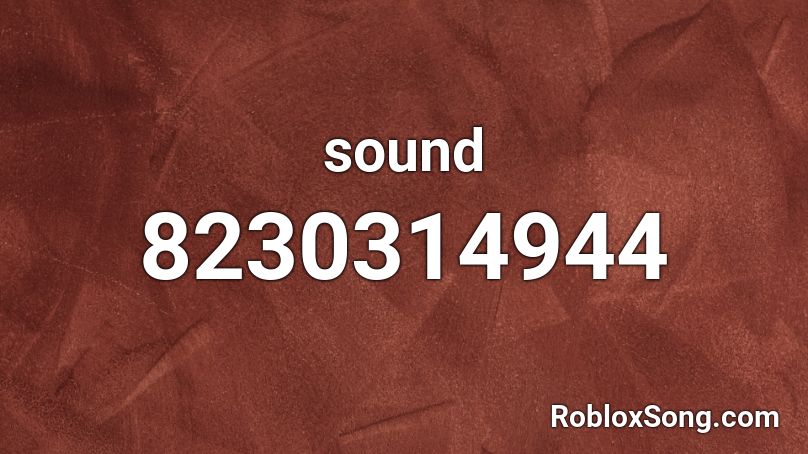
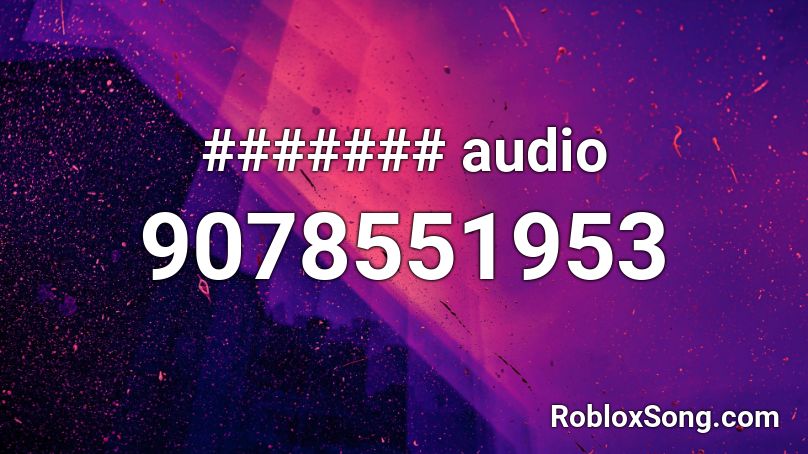
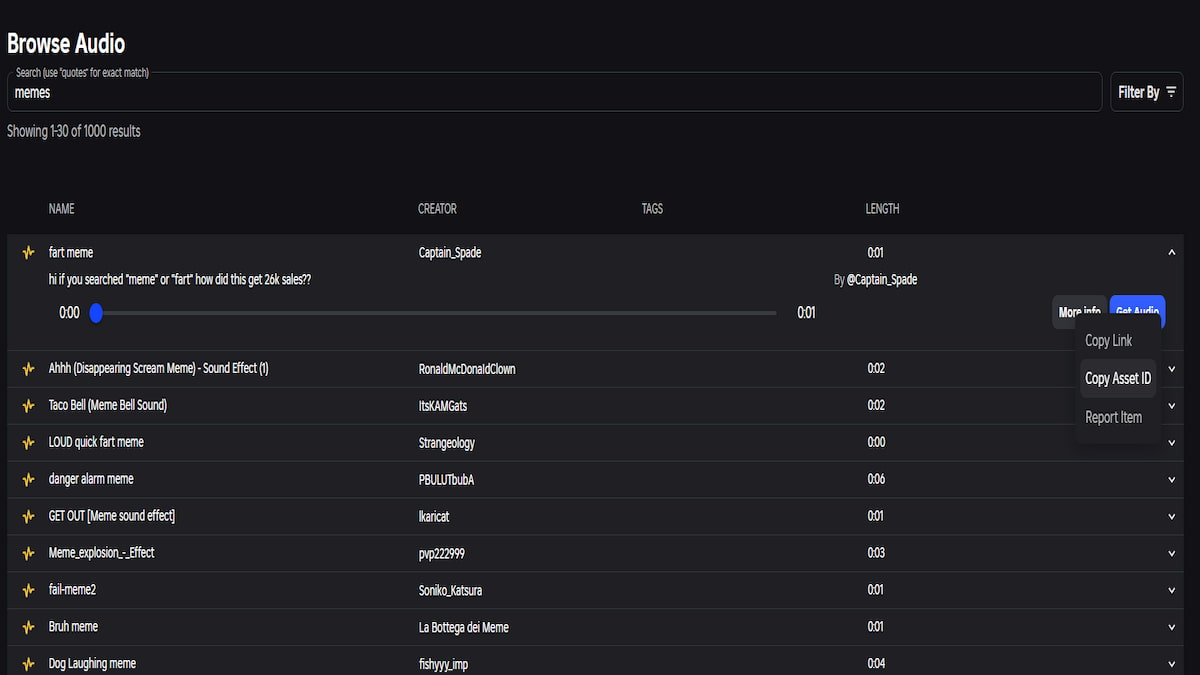
100 Roblox Music Code ID S 2026 WORKING AFTER UPDATE Roblox Song . Sound Roblox ID Roblox Music Codes 8230314944 . Audio Roblox ID Roblox Music Codes 9078551953 . 80 Full Roblox Music Song ID Codes 2026 Pro Game Guides Roblox Audio Store . Find Any Sound ID In Roblox Quick Guide To Audio Music Song IDs In




Finding Anime Roblox Song IDs Your Ultimate Guide Roblox Music Codes The Best Song IDs . 15 Close To Me Roblox Music ID Codes March 2026 WORKING Close To Me Roblox Music ID Codes . How To Find Sound IDs In Roblox FULL GUIDE YouTube . Roblox Music IDs 2026 100 Popular Music Codes How To Use Them Popular Roblox Music Codes To Use In 2026 With Full List . 15 Plead Roblox Music ID Codes June 2026 WORKING Plead Roblox Music ID Codes 768x512