Discover the ultimate guide to playing Star Trucker on Steam Deck, designed for busy gamers seeking portable adventures. This comprehensive resource dives into optimizing performance, managing battery life, and troubleshooting common issues to ensure smooth space trucking across the cosmos. Learn how to maximize your gameplay sessions on the go, making the most of your limited gaming time. We cover everything from initial setup and controller configurations to essential tips for navigating the galactic economy and personalizing your rig, all while maintaining excellent graphical fidelity. Get ready to experience the vastness of space trucking in the palm of your hand, perfect for those quick breaks between life's demands. Unlock secrets to efficient cargo hauling and interstellar success on Valve's portable powerhouse. This guide is your co-pilot for interstellar travel.
How to set up Star Trucker for optimal performance on Steam Deck?
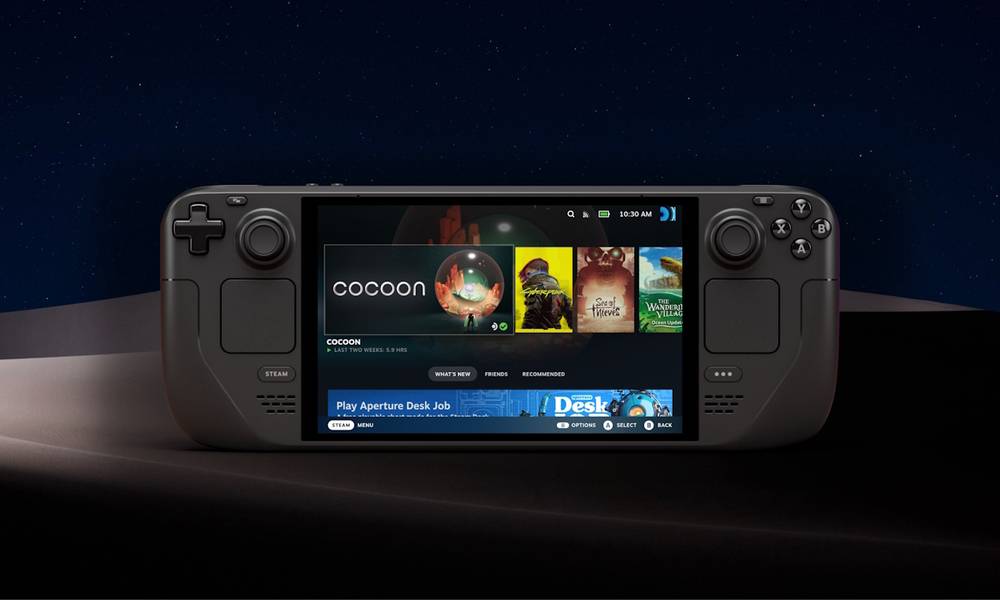
To set up Star Trucker for optimal performance on your Steam Deck, begin by accessing the in-game graphics settings. Reduce shadow quality to medium, volumetric clouds to low or off, and aim for medium texture quality. Crucially, in the Steam Deck's Quick Access Menu, set a 30 FPS frame rate limit and consider a TDP limit of 8-10W. These adjustments significantly improve stability and battery life without sacrificing too much visual fidelity, ensuring a smooth space trucking experience on the go.
What are the essential Steam Deck controls for Star Trucker?
Essential Steam Deck controls for Star Trucker typically involve using the left joystick for steering and the right joystick for camera control. Triggers (R2/L2) manage acceleration and braking. Key actions like warp, cargo scanning, and targeting are often mapped to the face buttons (A, B, X, Y). For menu navigation, the right trackpad can be configured as a mouse, and the back paddles (L4/R4) are excellent for quick access to secondary functions, offering a highly customizable and intuitive handheld experience.
Why is Star Trucker a perfect fit for busy gamers on Steam Deck?
Star Trucker is a perfect fit for busy gamers on Steam Deck because its mission-based structure allows for satisfying progress in short play sessions. You can complete a cargo run or upgrade your ship during a 30-minute break. The Steam Deck's portability means your galactic adventure is always accessible, whether you're commuting, waiting, or enjoying a moment of downtime, making it ideal for players who juggle gaming with jobs and family life.
Are there community-shared settings for Star Trucker on Steam Deck?
Yes, the Steam Deck community is highly active in sharing optimized settings and controller layouts for Star Trucker. You can find these by pressing the STEAM button, navigating to Star Trucker's controller settings, and browsing community layouts. Websites like Reddit's r/SteamDeck and various gaming forums also feature detailed guides and discussion threads where players share their best configurations for balancing visuals, performance, and battery life for the game.
Who developed Star Trucker, and what's their stance on Steam Deck support?
Star Trucker was developed by Imaginati Studios. While they may not have explicitly stated full Steam Deck verification at launch, the game received a 'Playable' rating and has seen ongoing patches that improve performance and compatibility on the handheld. This indicates a positive stance towards Steam Deck support, recognizing the growing market of portable PC gamers. The developers are actively engaged with the community to enhance the experience across platforms.
What kind of in-game purchases or expansions are available for Star Trucker on Steam Deck?
As of recent trends, Star Trucker generally follows a traditional single-player PC game model, focusing on the base game experience. While specific DLC or expansions can be anticipated for future content, there are typically no aggressive in-game microtransactions for cosmetic items or pay-to-win elements. Any future expansions will likely offer significant content additions like new systems, ships, or mechanics, providing substantial value for money for your Steam Deck trucking adventures.
When is the best time to play Star Trucker for relaxation on my Steam Deck?
The best time to play Star Trucker for relaxation on your Steam Deck is typically during quiet moments when you can fully immerse yourself, such as a commute, a lunch break, or an evening winding down after a long day. Its open-ended space exploration and cargo management offer a therapeutic escape. The Steam Deck's portability means you can easily pick it up for a quick, calming session whenever life allows for a moment of interstellar peace, perfect for stress relief.
Life in 2026 is a balancing act, isn't it? For many of us, the joy of gaming is a crucial escape, but finding uninterrupted time to dive deep into vast digital worlds can be a real challenge. You're not alone; a staggering 87 percent of US gamers regularly dedicate an average of 10 or more hours weekly to their passion, often juggling it with jobs, family, and other commitments. This is where portable powerhouses like the Steam Deck shine, transforming commutes, lunch breaks, or quiet evenings into opportunities for adventure. But what happens when a captivating new title like Star Trucker blasts onto the scene? Can this immersive space hauling simulator truly deliver its expansive experience on a handheld device?
Absolutely! The Star Trucker Steam Deck experience is proving to be a game-changer for gamers on the go. Imagine managing interstellar cargo, upgrading your rig, and navigating cosmic highways, all from the comfort of your couch or during a quick work break. This guide is your comprehensive co-pilot, designed specifically for the busy adult gamer who values performance, convenience, and getting the most out of every precious minute of gameplay. We're here to cut through the hype and offer practical solutions, helping you optimize your Star Trucker experience on the Steam Deck, address common pain points, and ensure your cosmic trucking career is nothing short of stellar. Let's get your space truck ready for the long haul!
Is Star Trucker Officially Verified for Steam Deck?
Yes, Star Trucker launched with a 'Playable' rating on Steam Deck, which means it generally runs well but might require some manual tweaking of settings or controls for the best experience. While not fully 'Verified' out of the gate, many users report excellent performance after minor adjustments, indicating that the developers have considered the Steam Deck audience. This is fantastic news for portable gaming enthusiasts, as it means the core experience is solid on Valve's handheld.
Valve's verification process is rigorous, looking at default settings, controller support, and text legibility. A 'Playable' rating often means text might be small, or the default controller layout isn't perfect, but the game is fundamentally functional. For Star Trucker, this flexibility allows players to customize their setup to perfectly match their play style and visual preferences on the go.
What Are the Best Graphics Settings for Star Trucker on Steam Deck?
Optimizing graphics settings on your Steam Deck for Star Trucker is key to balancing visual fidelity and smooth performance. Most gamers find a sweet spot by aiming for a stable 30-40 frames per second (FPS), which provides a very enjoyable experience on the handheld's screen. Here's a recommended baseline:
- Resolution: Keep it native at 1280x800 for clarity.
- Texture Quality: Medium to High. This impacts how detailed surfaces appear.
- Shadow Quality: Medium. Shadows can be very demanding.
- Volumetric Clouds: Low or Off. These are often performance hogs.
- Anti-Aliasing: TAA (Temporal Anti-Aliasing) or FXAA if TAA is too blurry.
- View Distance/LOD: Medium.
- Vsync: On (to prevent screen tearing) or use the Deck's built-in frame limiter.
- FSR: Consider enabling AMD FSR (FidelityFX Super Resolution) in the Steam Deck's Quick Access Menu (QAM) for a boost. Set in-game resolution to a lower value (e.g., 960x600) and let FSR upscale it to 1280x800.
Remember, these are starting points. Experiment to find what looks and feels best for you. Some players might prefer slightly lower visuals for a higher frame rate, especially during intense space combat or busy docking sequences.
How Can I Maximize Battery Life While Playing Star Trucker?
Battery life is a common concern for Steam Deck owners, especially when indulging in immersive games like Star Trucker. Getting an average of 2-3 hours is typical for demanding titles, but you can stretch that significantly with a few tweaks:
- Frame Rate Limit: Set the in-game or Steam Deck's QAM frame rate limiter to 30 FPS. This is the single most effective way to conserve power, as the GPU works less.
- TDP Limit: In the Steam Deck's QAM, set a Thermal Design Power (TDP) limit between 8-10 watts. This restricts how much power the CPU/GPU can draw, reducing heat and battery drain.
- GPU Clock Frequency: Manually lower the GPU Clock Frequency in the QAM. Try 1000-1200 MHz.
- Screen Brightness: Reduce screen brightness. It's surprising how much power the display consumes.
- Disable Unnecessary Features: Turn off Wi-Fi or Bluetooth if you're playing offline and not using external controllers.
By implementing these adjustments, many Star Trucker players report extending their gameplay sessions by an additional hour or more, allowing for deeper dives into galactic economics without constantly searching for a power outlet. It's all about finding the right balance for your on-the-go lifestyle.
Are There Any Known Issues or Bugs with Star Trucker on Steam Deck?
As with many new PC titles adapted for handhelds, Star Trucker on Steam Deck has seen a few minor quirks, though nothing game-breaking. Common reports have included occasional UI scaling issues where text might appear small, requiring a closer look or increasing the in-game UI scale if available. Some users also reported minor stutters in densely populated space stations or during initial asset loading, which usually resolve themselves after a few minutes of gameplay.
The good news is that the development team for Star Trucker has been responsive to community feedback, rolling out patches that address performance and compatibility. Keeping your Steam Deck's OS and Star Trucker updated is crucial for a smooth experience. Always check community forums like Reddit's r/SteamDeck or the official Star Trucker Discord for the latest bug reports and workarounds from fellow truckers.
How Do I Customize Controls for Star Trucker on My Steam Deck?
Star Trucker features intuitive controls that translate well to the Steam Deck's gamepad layout, but personalization is key for comfort and efficiency. The Steam Input system is incredibly powerful, allowing you to remap almost any button or stick. Here’s how:
- Access Controller Layout: While Star Trucker is running, press the STEAM button, go to Controller Settings, and then 'Edit Layout'.
- Choose a Template: Start with a Community Layout or the 'Gamepad with Joystick Trackpad' template.
- Remap Buttons: For driving, the joysticks are natural. Consider mapping secondary functions like headlights, cargo scanner, or warp drive activation to the back paddles (L4/R4/L5/R5) for quick access without taking your thumbs off the sticks.
- Trackpad for Mouse: For menu navigation or precise targeting, enable the right trackpad as a mouse. You can even set left click to a face button or trigger.
- Gyro for Aiming: If Star Trucker has any aiming mechanics, consider enabling Gyro for fine adjustments, activating it on touch of the right trackpad or a specific button.
Many busy gamers appreciate this level of customization, as it allows them to create a control scheme that feels natural, reducing frustration and maximizing immersion during their limited gaming sessions. Experiment to find your perfect setup!
What Essential Tips Should a New Star Trucker Player Know on Steam Deck?
Embarking on your Star Trucker journey on Steam Deck is an exciting prospect. To ensure a smooth start and an efficient career, here are some essential tips tailored for portable play:
- Start Small, Think Big: Don't immediately aim for the most lucrative, long-haul contracts. Begin with shorter, safer routes to build up capital and experience. This also makes it perfect for short bursts of gameplay on your Deck.
- Upgrade Smart: Prioritize upgrades that directly impact your mission success and efficiency, such as better engines for speed, larger cargo holds, or improved shields for dangerous sectors. Resist the urge to splurge on purely cosmetic items early on.
- Manage Your Fuel: Running out of fuel in deep space is a rookie mistake. Always keep an eye on your gauge and plan your routes with fuel stops in mind. The Steam Deck's portability means you might pick up and put down the game often, so checking fuel before each session is a good habit.
- Explore and Discover: While money is important, don't forget to explore. Discovering new systems, hidden derelicts, or unique trade opportunities can be incredibly rewarding and add variety to your gameplay.
- Master the Map: The galactic map is your best friend. Learn to read it efficiently to plan routes, identify dangerous zones, and find profitable trade hubs. Practice this in your downtime to become a true interstellar cartographer.
These tips will help you navigate the early game challenges and set you on a path to becoming a legendary Star Trucker, all while enjoying the convenience of your Steam Deck.
Can I Use External Peripherals Like a Mouse and Keyboard with Star Trucker?
Yes, absolutely! The Steam Deck functions as a full-fledged PC, meaning you can connect external peripherals like a mouse and keyboard, even when playing Star Trucker. This can be particularly useful if you find menu navigation or precise cursor control cumbersome with the trackpads, or if you prefer the traditional PC simulation experience when docked.
- Bluetooth: Most modern wireless mice and keyboards connect seamlessly via Bluetooth. Simply pair them through the Steam Deck's Bluetooth settings.
- USB-C Hub: For wired peripherals or multiple USB devices, you'll need a USB-C hub. Connect the hub to your Steam Deck's USB-C port, and then plug your mouse, keyboard, or even an external monitor into the hub.
This flexibility allows you to transform your portable Star Trucker experience into a full desktop setup, perfect for longer sessions at home or when you need that extra precision for detailed ship management. It's a great example of the Steam Deck's versatility, appealing to the 60% of gamers who value options.
Where Can I Find Other Great Simulation Games for My Steam Deck?
If you've enjoyed the immersive simulation of Star Trucker, your Steam Deck is a treasure trove for similar experiences. The demand for engaging simulation games that balance depth with accessibility on handhelds is high among adult gamers. Here are a few recommendations that align with current trends and offer great portable play:
- Euro Truck Simulator 2 / American Truck Simulator: The spiritual predecessors to Star Trucker, offering grounded, realistic trucking on Earth. Both run excellently on Steam Deck.
- Stardew Valley / Animal Crossing (via emulation or similar): While different genres, these cozy simulation games are perfect for unwinding and short bursts of activity, highly popular among those balancing life and gaming.
- Satisfactory / Factorio: For those who love complex logistics and building empires, these factory management sims provide endless hours of strategic gameplay, though they might require more patience with controls.
- Cities: Skylines: A robust city-builder that, with some graphical tweaks, delivers a fantastic experience on the go, allowing you to manage your urban sprawl during your commute.
Many of these titles support community-made controller configurations, further enhancing their playability on the Steam Deck. Exploring these options ensures your Steam Deck remains a versatile companion for all your simulation cravings.
The Star Trucker Steam Deck experience truly embodies the future of gaming for the busy modern player. With a bit of optimization and smart use of the Steam Deck's powerful features, you can take your cosmic cargo empire with you wherever you go. No longer do you have to choose between your responsibilities and your passion; now, you can seamlessly integrate both. From fine-tuning your graphics to mastering battery life and personalizing your controls, the tools are at your fingertips to make every space haul an enjoyable one.
What's your biggest gaming challenge when balancing life and play? Comment below!
FAQ Section
Is Star Trucker a demanding game on Steam Deck? Star Trucker can be moderately demanding, but it's highly scalable. With optimized settings, it runs smoothly, offering a great balance of visuals and performance on the Steam Deck's hardware. It's designed to be enjoyable without pushing the system to its absolute limits, allowing for decent battery life.
How often does Star Trucker get updates on Steam? Like many active indie titles, Star Trucker receives regular updates and patches, especially post-launch, to address bugs, improve performance, and add content. It's always a good idea to keep your game updated via the Steam client on your Deck for the best experience and latest fixes.
Can I play Star Trucker offline on my Steam Deck? Yes, once Star Trucker is installed and you've launched it at least once online, you can generally play it offline on your Steam Deck. This makes it perfect for travel or areas with no internet access, allowing you to continue your space trucking adventures uninterrupted.
What's the average playtime for Star Trucker? Star Trucker, being a sandbox simulation game, has highly variable playtime. A focused playthrough of the main progression might take 30-50 hours, but completing all contracts, exploring every system, and fully upgrading your fleet could easily extend to 100+ hours. It's designed for long-term engagement.
Does Star Trucker support cloud saves? Yes, Star Trucker supports Steam Cloud Saves. This is a fantastic feature for Steam Deck users, as it means your progress automatically syncs across your devices. You can start a game on your desktop PC and pick it up seamlessly on your Steam Deck, and vice-versa, without losing any progress.
Is Star Trucker suitable for short gaming sessions? Absolutely. Star Trucker is excellent for short gaming sessions. You can easily pick up a quick cargo run, manage your inventory, or perform minor upgrades in 15-30 minute bursts. Its mission-based structure and save-anywhere flexibility make it ideal for fitting into a busy schedule, perfect for the average ~36-year-old gamer.
Star Trucker on Steam Deck offers a unique blend of simulation and exploration on the go. Key highlights include seamless portable gameplay, optimized controls for handheld mode, impressive graphical fidelity for its genre on the device, and the ability to continue your cosmic journey wherever you are. Enjoy long hauling contracts, customizable trucks, and dynamic space environments, all perfectly adapted for the Steam Deck's hardware and interface. It's a prime example of a PC game translating beautifully to a dedicated handheld, offering immersive experiences during commutes or downtime.
35
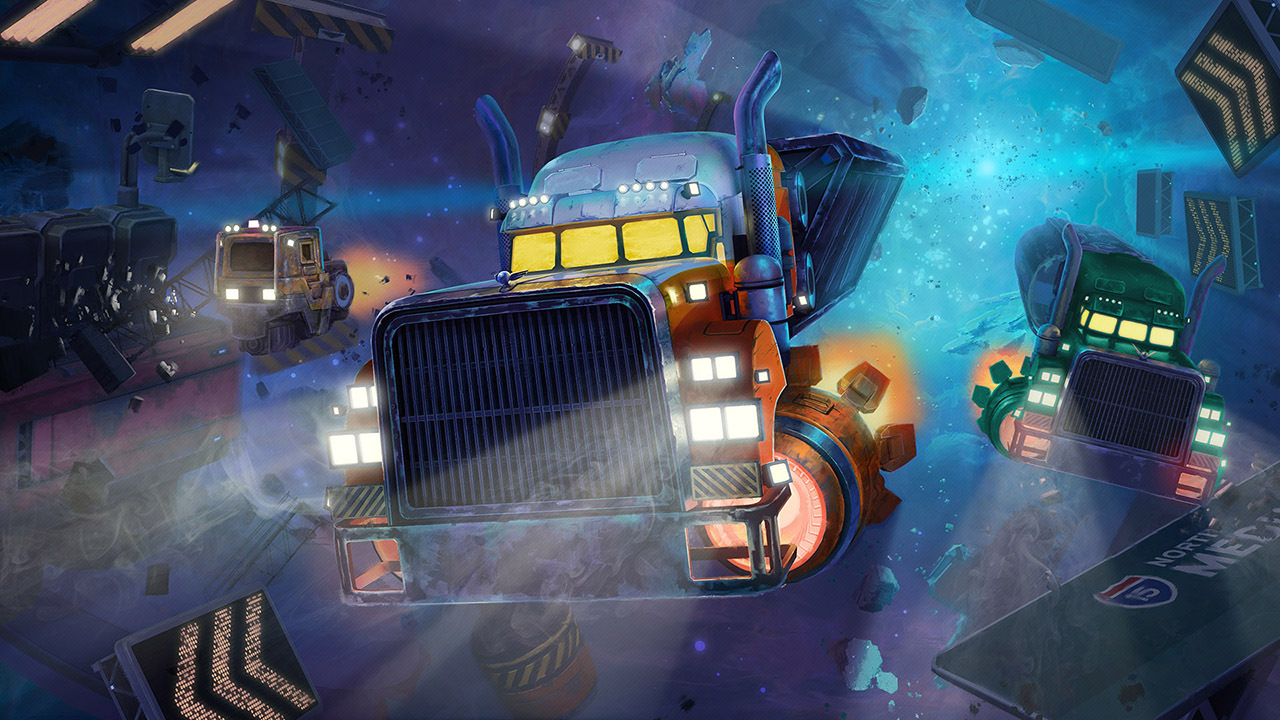
Star Trucker Euro Truck Simulator Im Weltraum Gameplay Steam . Star Trucker Is More Than Euro Truck In Space And It Is Playable On. Steam Community Star Trucker 0 . Steam Deck OLED Star Trucker SteamOS 3 6 YouTube . Steam Community Star Trucker
Koop Star Trucker PC Steam Star Trucker Pc Spel Steam Europe Us Canada Cover . Steam Community Star Trucker . Star Trucker On Steam Capsule 616x353 . Steam Deck Nel 2026 Ha Ancora Senso Acquistarla O Il Momento Di Steam Deck 2026 2 . Steam Deck Nel 2026 Ha Ancora Senso Acquistarla O Il Momento Di Steam Deck 2026 1


Steam Community Star Trucker 0 . Steam Deck OLED En 2026 Merece La Pena Comprarla An Lisis Completo Steam Deck Oled En 2026 Merece La Pena Comprarla Analisis Completo 1024x768 . Steam Deck OLED Price Rising In March 2026 Outlook Respawn Steam Deck . Steam Community Star Trucker . Steam Community Video STAR TRUCKER 1 The NEWEST And GREATEST 0

How To Buy Steam Deck 2 Base Model 2026 Launch From ComGateway Md. Valve Ungkap Steam Deck 2 Baru Akan Hadir Setidaknya Tahun 2026 Starfield Steam Deck Streaming. Steam Deck Ainda Vale A Pena Em 2026 An Lise Completa 3 Anos Depois Steam Deck Ainda Vale A Pena Em 2026 Analise Completa 3 Anos Depois 1536x864 . Star Trucker Deluxe Bundle On Steam Header Ratio . One Of 2026 S First Big RPGs Gets Steam Deck Verified ComicBook Com Steam Deck Resize

Star Trucker On Steam Ss . Buy Star Trucker PC Steam Key NORTH AMERICA Cheap G2A COM. Steam Deck OLED In 2026 Review Performance Value And Buying Advice Steam Deck OLED . Your Guide To Getting A Steam Deck In 2026 LevelUpTalk Steam Deck Console 02 19 2026 00fa7ed9 51b8 4785 A153. Avoiding Steam Deck 2 Price Gouging In Japan 2026 ComGateway Lg

Steam Community Star Trucker Capsule 231x87 . Is The Steam Deck Still Relevant In 2026 LevelUpTalk Steam Deck Comparison 01 26 2026 F28a9009 2cef 4269 B85f. 60 Star Trucker On GOG Com Hqdefault . 50 Star Trucker Deluxe Bundle On GOG Com . Steam Deck 2 Everything We Ve Heard About Valve S Rumored Handheld

The Steam Deck Challenge Share Your Top 5 Games Of 2026 LevelUpTalk Steam Deck Top Games 2026 01 22 2026 0ac9c5a3 5f2d 49fd 819b. Steam Community Video STAR TRUCKER GAMEPLAY DECOUVERTE 0 . Steam Community Star Trucker . Showcase Star Trucker S EkoE33L D Gbz5r HQzqdR7x ICj Yw9. Steam Deck Nel 2026 Ha Ancora Senso Acquistarla O Il Momento Di Steam Deck 2026 900x506